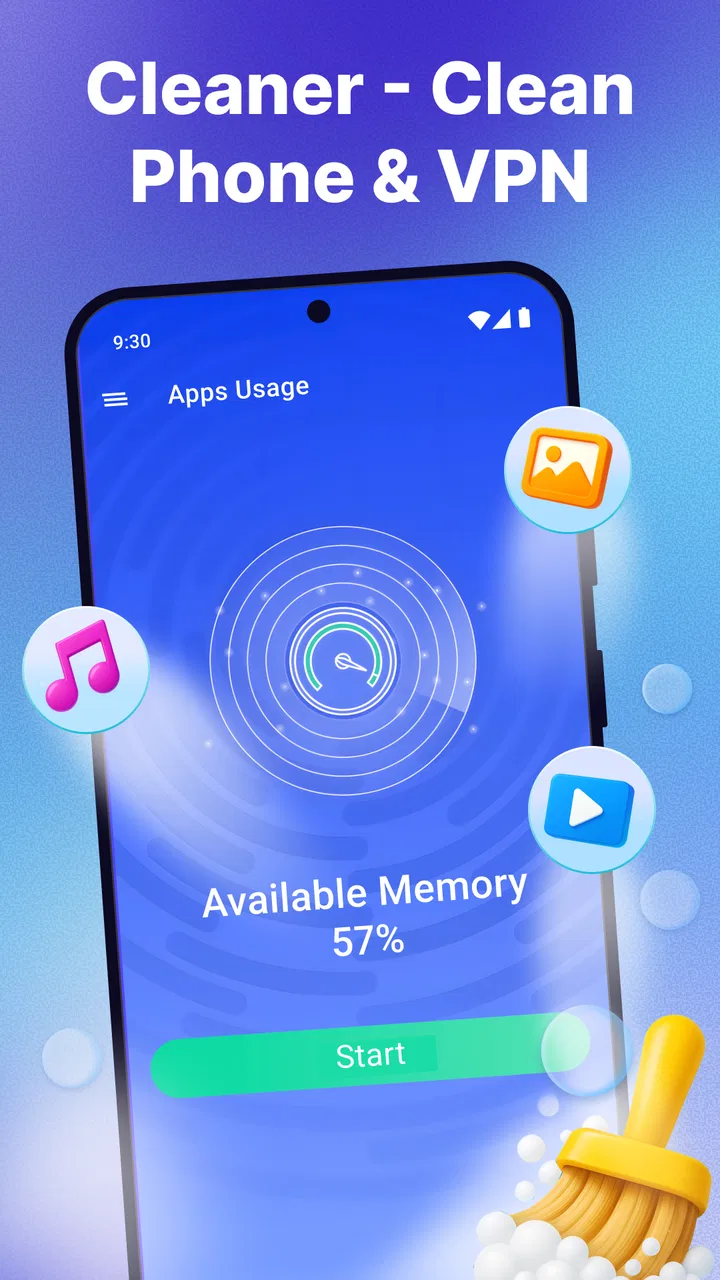
Cleaner - Clean Phone & VPN
- 4.6
- Rating
- 10.00M
- Installs
- Free
- Price

 Analysis by App-foxy
Cleaner - Clean Phone & VPN made a strong first impression when I tried it because it brings several jobs into one Tools app. Its focus is straightforward: help tidy a phone, manage files, and provide a VPN option without making me jump between unrelated utilities. That combination is useful, but it also raises an important question: does it remain helpful after the first cleanup, or does it become another app I open once and forget?
My answer is cautious but positive. This is a convenient free app for people who want a simple place to review clutter and handle everyday file tasks. It is less convincing for anyone who already has a careful storage routine, prefers dedicated privacy software, or expects a cleaner to perform dramatic maintenance automatically. The lasting value depends on using it as a small inspection habit rather than treating it as a magic speed button.
What the first week feels like
The first week is where Cleaner - Clean Phone & VPN is most appealing. A phone that has accumulated downloads, duplicate-looking files, old media, and forgotten folders can feel difficult to sort manually. A combined cleaner and file manager gives that mess a starting point. I found the main benefit was not simply deleting items; it was getting a clearer view of what was taking up attention and storage.
You May Also Like

 Blood Strike: 2.5 Anniversary
Blood Strike’s Loadouts Turn Every Drop Into a Tactical Gamble
A close look at Blood Strike’s custom loadouts: how fast access to signature weapons reshapes its battle royale rhythm, rewards preparation, and narrows the gap between fights.

 Pandora - Music & Podcasts
Pandora’s Music Is Easy to Start, but Harder to Recover
Pandora’s strength is its low-effort path from a seed to a station. Its weak spot is how much confidence it asks you to place in connection, setup, and quiet recovery.

 8 Ball Pool
 Is Built on Rivalries, Rematches, and Routine
A close look at the rivalries, rematches, shared routines, and unanswered safety questions that turn a quick pool match into a persistent mobile community.

 Samsung Music
’s Quiet Strength Is Playing What You Already Own
Its reach comes less from spectacle than from dependable access to a personal library. That simplicity is both the app’s strongest retention engine and its ceiling.

 AccuWeather: Weather Radar
AccuWeather Review: A Quick, Clear Forecast for Everyday Decisions
For everyday plans, the best forecast is the one you can understand quickly. AccuWeather makes rain timing, radar, and local conditions easy to act on, with a few trade-offs.

 Hill Climb Racing
Why Hill Climb Racing Still Turns Crashes Into One More Run
A tiny car, a bumpy hill and one more upgrade: Hill Climb Racing keeps resurfacing because its simple chaos makes every near-miss feel personal.
More From Our News Desk



The app is developed by TarrySoft and sits in the Tools category. It is free to install, with optional in-app purchases ranging from $0.99 to $99.99 per item. That makes it easy to test without committing money immediately, although I would still pay attention to any upgrade prompts before confirming a purchase. The Everyone content rating also makes it suitable for a broad audience, including households where a less technical person needs help organizing a phone.
Its store summary presents the app as a phone cleaner, file manager, and VPN in one package. In practice, that combination is useful when I want to move from finding unnecessary files to deciding what should stay. A standalone cleaner often stops at a scan, while a basic file manager can feel too manual. Having both roles close together makes the first cleanup less intimidating.
My best advice during the initial scan is not to approve every suggested deletion immediately. A cleaner can identify items that look disposable from a filename, location, or category, but “unnecessary” is personal. Screenshots may be worthless to one person and important to another. Downloaded documents may be old, yet still needed for travel, work, or school. I prefer opening groups, checking dates and names, and removing items in small batches.
That slower approach reveals one of the app’s practical strengths: it can act as a decision-making aid rather than merely a delete button. I can use the broad scan to find candidates, then rely on the file manager to inspect them. This is especially useful after a long trip, when a phone contains maps, images, videos, and documents that no longer need to remain locally available.
A realistic cleanup routine
Imagine returning from a weekend away with a nearly full phone. I would begin by reviewing large media and downloads, then separate personal photos from temporary files. Next, I would look through folders instead of removing everything in one category. Finally, I would revisit the storage view after deletion and decide whether the remaining items are worth keeping. This workflow is safer than chasing a single impressive “clean” result, because it keeps the user responsible for the final choice.
The file manager is also more valuable when used for preparation rather than emergency rescue. Before sending a batch of images, I can locate them in one place and remove obvious duplicates or failed downloads. Before a device change, I can inspect important folders and make sure I understand where documents are stored. The app does not replace a proper backup strategy, but it can make the phone’s contents easier to review before I create one.
Another useful first-week habit is to treat the VPN as a separate tool, not as proof that the entire phone is now private. A VPN can be helpful when I want an additional network privacy layer, particularly on unfamiliar connections, but it does not make careless links, weak passwords, or unsafe apps harmless. I would use the VPN for the situation it is intended to address and avoid assuming that it protects every part of my digital life.
Where it compares well with usual alternatives
Compared with using a phone’s built-in storage screen, Cleaner - Clean Phone & VPN feels more approachable for someone who wants a guided starting point. The built-in tools may be better integrated with the operating system, but they can spread cleanup tasks across settings, gallery controls, and file browsing. This app’s appeal is the central workspace.
Compared with a dedicated file manager, it offers more context around cleanup and adds a VPN to the same installation. The trade-off is specialization. A file manager designed only for browsing, moving, renaming, and sharing may offer a more focused experience for advanced organization. I would choose that kind of tool if my daily work involves complex folder structures rather than occasional tidying.
Compared with a dedicated VPN service, the bundled VPN is convenient, but convenience should not be confused with a complete privacy evaluation. Someone who chooses a VPN mainly for a detailed service history, extensive configuration, or a very specific network use case may be better served by a specialist. Cleaner - Clean Phone & VPN makes more sense for users who value having a basic option nearby instead of building a collection of separate apps.
The app has reached over 10 million installs, with an average rating of 4.6 from around 410 thousand ratings and about 14 thousand written reviews. Those figures suggest that the all-in-one idea resonates with many users, but they do not remove the need to inspect files carefully or decide whether the VPN fits personal expectations.
Does it earn a place after the novelty fades?
After the first cleanup, the app’s value becomes quieter. Phones do not need constant aggressive cleaning, and repeatedly deleting files simply to make a cleaner appear useful can create unnecessary risk. The lasting role I see here is a monthly review: check downloads, sort large media, inspect unfamiliar folders, and remove items that have clearly outlived their purpose.
That schedule works better than opening the app every day. Daily cleaning can turn into a ritual with little benefit, especially if the phone already has comfortable free space. A monthly or occasional check gives new downloads time to become clearly disposable and makes the review more meaningful. For a family member who often asks why storage is full, a repeatable monthly routine may be more useful than a one-time technical explanation.
The app is also helpful before specific events. I would use it before installing a large update, before recording a long video, or before leaving for a trip where offline media will take up room. In those situations, the file manager and cleaner work together: first identify candidates, then remove only what I have verified. This is a more dependable use case than expecting the app to improve performance in a vague, universal way.
The maintenance burden is real
The app reduces some of the work, but it does not eliminate judgment. I still need to review proposed cleanup items, distinguish temporary files from important documents, and resist the temptation to grant every recommendation automatic trust. That maintenance burden is not necessarily a flaw; it is the cost of avoiding accidental deletion. Still, users looking for a completely hands-off experience may find the process less satisfying than expected.
There is also a mental burden in having cleaning, file browsing, and VPN functions together. At first, the combination feels efficient. Over time, I may only need one of those tools, while the others become background clutter in the app interface. The bundle earns its space when I use at least two functions regularly. If I only want to delete occasional screenshots, the phone’s own gallery and storage controls may be enough.
Version 2.6.24 is the current version, and the app supports Android 5.0 or later. That broad compatibility is useful for people with older Android phones who may not have the newest system-level storage features. On newer devices, however, built-in tools can sometimes feel faster because they are already part of the operating system. The choice therefore depends partly on whether simplicity or deeper system integration matters more to me.
Because the app is free, I can try it without paying upfront. The optional purchases are worth considering as part of the long-term decision: if the free experience meets my needs, there is no reason to upgrade merely because an offer appears. If I use the app often and find a paid option genuinely removes an irritation, I would judge that against how frequently I actually open it. A tool used once a year has a different value than one supporting a monthly routine.
What can cause fatigue
The biggest source of fatigue is repetition without a clear result. If each scan produces the same categories, but I do not understand what changed or why the items matter, the process starts to feel like maintenance theater. I prefer using the scan as a prompt to inspect storage, not as a score that must be improved every time.
Another possible frustration is switching between convenience and control. Guided cleanup is faster, while manual review is safer. The app is most comfortable in the middle: it helps me locate candidates, but I make the final decision. Users who want full automation may be disappointed, and users who want extremely detailed file operations may find the file manager less focused than a specialist alternative.
The VPN can also create unrealistic expectations if it is treated as the main reason to install the app. I would not select this app solely because it includes a VPN without first deciding what I need from that connection. For casual, occasional use, having the option inside a familiar utility can be convenient. For privacy-focused users who compare network behavior carefully, a dedicated service is the more sensible route.
There is a practical risk in deleting too quickly. I recommend reviewing personal photos, voice recordings, downloaded PDFs, and messaging-related media before confirming removal. I would also avoid using a cleanup session as a substitute for backup. Freeing space is not the same as preserving memories, and a neat storage screen is not worth losing something important.
Who should use it, and who should skip it?
I would recommend Cleaner - Clean Phone & VPN to someone whose phone feels disorganized and who wants one approachable place to begin. It is particularly suitable for occasional storage reviews, travel-related cleanup, and users who appreciate having a file manager beside a cleaner. It can also be a reasonable choice for an older Android device because its minimum operating system is Android 5.0.
I would skip it if my main need is advanced file administration, a highly specialized VPN, or automatic backup. I would also skip it if the phone’s built-in storage and file tools already handle everything comfortably. Installing another utility only makes sense when its combined workflow saves more effort than it adds.
For privacy-sensitive use, I would approach the VPN as a convenience feature and evaluate it according to my own requirements rather than assuming the app is a complete security suite. For storage-sensitive use, I would keep the deletion process deliberate. Those two boundaries make the experience more predictable and prevent the app from being asked to solve problems outside its role.
My long-term verdict
After the novelty fades, Cleaner - Clean Phone & VPN can earn a lasting place, but only as a periodic maintenance companion. Its strongest idea is the connection between finding clutter and inspecting files, with a VPN available for users who want that extra utility in the same app. I value that convenience more than a promise of dramatic performance improvement.
My preferred routine would be simple: open it when storage pressure appears or once a month, review the largest and least useful files, confirm deletions carefully, and use the VPN only when it matches the network situation. That keeps the app useful without turning cleanup into a daily chore.
The lasting value is not the first dramatic scan; it is the safer, repeatable habit of knowing what is on my phone. If that is the kind of help you want, this free Tools app from TarrySoft is worth trying. If you need specialist file control, serious VPN selection, or a completely automatic cleaner, I would choose dedicated alternatives instead. For everyone in between, it is a practical all-in-one option that remains worthwhile when used with restraint.
FAQs for Cleaner - Clean Phone & VPN
01What features does Cleaner - Clean Phone & VPN offer?
Cleaner - Clean Phone & VPN provides a comprehensive suite of tools designed to optimize your device. It includes junk file cleaning, memory boosting, and app management. Additionally, it offers a built-in VPN for secure browsing. These features aim to enhance device performance while protecting your privacy online.
02Is Cleaner - Clean Phone & VPN safe to use?
Yes, Cleaner - Clean Phone & VPN is designed with user security in mind. It employs robust encryption standards for its VPN services, ensuring that your data remains private and secure. It does not collect or share personal information, making it a safe choice for optimizing your device.
03Does Cleaner - Clean Phone & VPN significantly improve device performance?
Many users report noticeable improvements in their device's speed and responsiveness after using Cleaner - Clean Phone & VPN. By clearing junk files and optimizing memory usage, the app helps reduce lag and improve overall performance, especially on older devices that may struggle with storage and memory issues.
04Are there any in-app purchases or subscriptions required?
Cleaner - Clean Phone & VPN is available as a free download with basic functionalities. However, to unlock advanced features such as premium VPN servers and automatic cleaning, users may need to subscribe to a premium plan. These subscriptions offer enhanced functionality and a more comprehensive experience.
05How does the VPN feature enhance online privacy?
The VPN feature in Cleaner - Clean Phone & VPN encrypts your internet connection, making it difficult for third parties to track your online activities. This is particularly useful when using public Wi-Fi networks, as it prevents hackers from intercepting your data, thereby ensuring safer browsing and improved privacy.
Pros
- User-friendly interface and easy navigation.
- Efficient junk file cleaning boosts performance.
- Integrated VPN enhances online privacy.
- Customizable cleaning schedules available.
- Supports a wide range of Android devices.
Cons
- Limited features in the free version.
- Ads can be intrusive during use.
- VPN slows down internet speed.
- Occasional crashes reported by users.
- Requires frequent updates for optimal performance.

Cleaner - Clean Phone & VPN
Gallery